Video Style Transfer - VidFram
Publisher Description

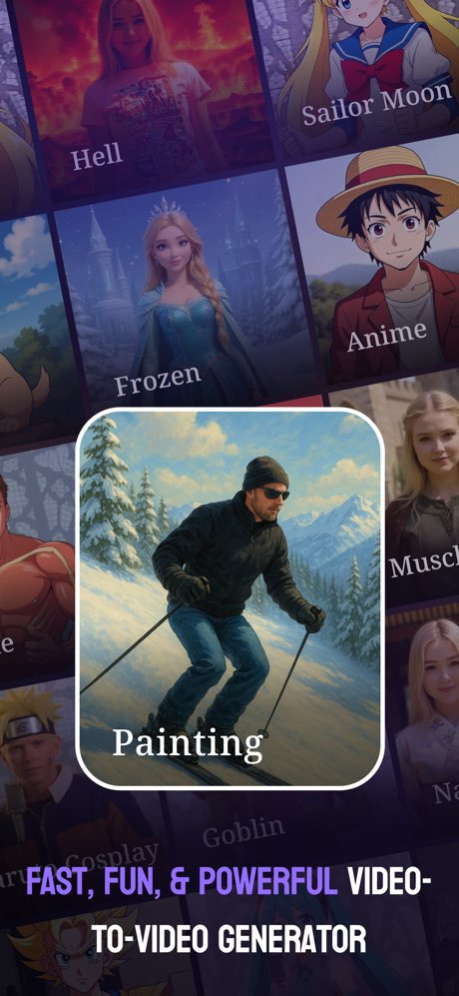


Bring your videos to life with VidFram, the ultimate AI-powered video animation app. Simply upload your video and choose from a wide range of creative templates to instantly transform your clips into unique animated styles - from cartoons and sketches to artistic effects. No editing skills needed, just tap and create.
Designed for creators, influencers, and storytellers, VidFram makes video transformation effortless and fun. Enjoy smooth performance, quick processing, and high-quality results right from your iPhone or iPad. Turn ordinary moments into eye-catching animated videos and share your creativity with the world.
functionality :
Instantly convert regular videos into animated or artistic styles using advanced AI video processing.
Choose from a wide range of professionally designed animation and art-style templates to match your creative vision.
Preview different styles before applying them, ensuring you get the perfect look for your video.
Adjust animation intensity, color tone, and style variations to personalize your final video output.
Save transformed videos in high quality and share them instantly across social media platforms or your device gallery.
Video Style Transfer - VidFram offers you 4 unique plans. Subscribe to have unlimited access to premium version of the app.
1 Week - $6.99
1 Year - $44.99
100 Credits - $17.99
200 Credits - $24.99
* Subscription payments will be charged to your iTunes account at confirmation of your purchase and upon commencement of each renewal term. Subscription will automatically renew. You can cancel your subscription in the iTunes settings at least 24-hours before the end of the next subscription cycle. The cancellation will take effect the day after the last day of the current subscription period and you will be downgraded to the free service.
https://appzibraininfotech.blogspot.com/2024/03/privacy-policy.html
https://appzibraininfotech.blogspot.com/2024/03/terms-of-use.html
About Video Style Transfer - VidFram
The company that develops Video Style Transfer - VidFram is APPZIBRAIN INFOTECH LLP. The latest version released by its developer is 1.0 .
To install Video Style Transfer - VidFram on your iOS device, just click the green Continue To App button above to start the installation process. The app is listed on our website since 2026-10-14 and was downloaded 0 times. We have already checked if the download link is safe, however for your own protection we recommend that you scan the downloaded app with your antivirus. Your antivirus may detect the Video Style Transfer - VidFram as malware if the download link is broken.
How to install Video Style Transfer - VidFram on your iOS device:
- Click on the Continue To App button on our website. This will redirect you to the App Store.
- Once the Video Style Transfer - VidFram is shown in the iTunes listing of your iOS device, you can start its download and installation. Tap on the GET button to the right of the app to start downloading it.
- If you are not logged-in the iOS appstore app, you'll be prompted for your your Apple ID and/or password.
- After Video Style Transfer - VidFram is downloaded, you'll see an INSTALL button to the right. Tap on it to start the actual installation of the iOS app.
- Once installation is finished you can tap on the OPEN button to start it. Its icon will also be added to your device home screen.
